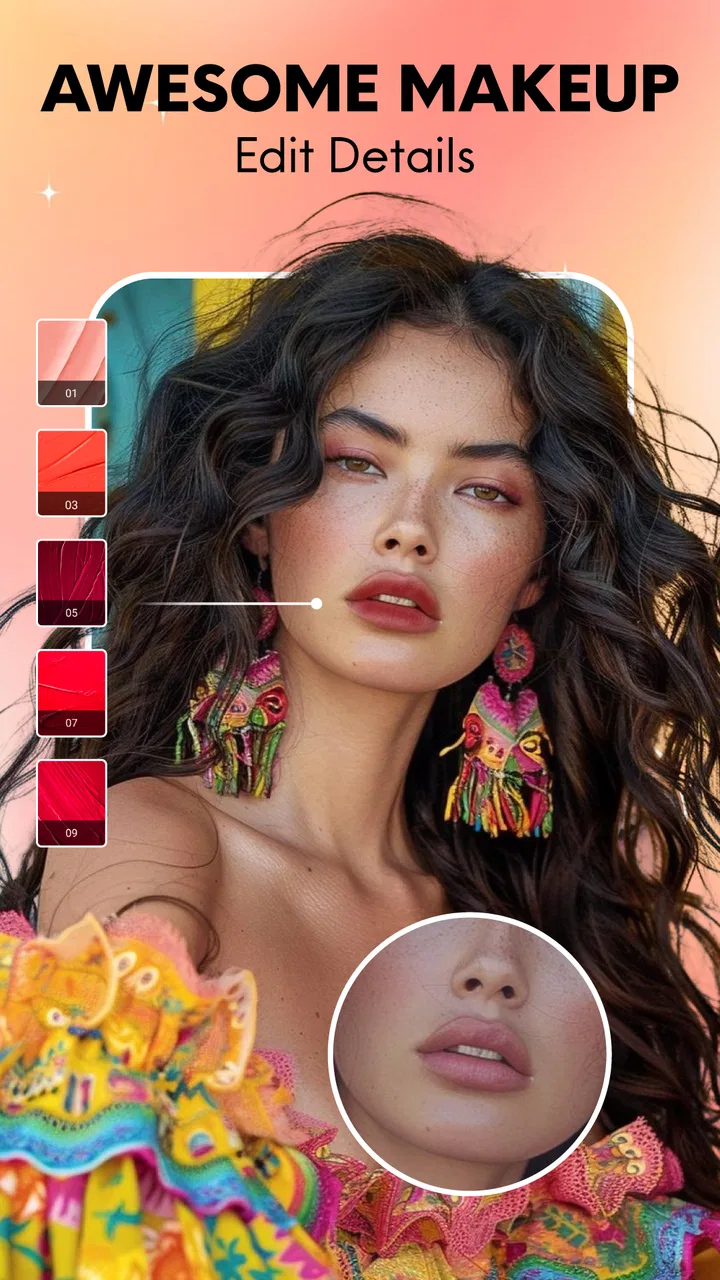
Beauty Camera Sweet Makeup App
- 4.7
- Rating
- 10.00M
- Installs
- Free
- Price

 Analysis by App-foxy
I approached Beauty Camera Sweet Makeup App as a quick photography tool rather than a full editing studio. Its focus is clear: makeup effects, beauty adjustments, and body-shape editing for selfies. That narrow purpose makes it easy to understand, but it also means the app is most useful when I want a polished portrait quickly, not when I need detailed control over every part of an image.
The app comes from Wolf Kan and is free to install, with optional purchases ranging from $0.99 to $49.99 per item. It is listed for Everyone and runs on Android 7.0 or later. The current version is 1.1.4, and its popularity is hard to overlook: it has passed 10 million installs and holds a 4.7 average from around 56 thousand ratings. Those figures suggest that the straightforward selfie workflow appeals to a large audience, although popularity alone does not make every result look natural.
How the beauty and makeup workflow feels in daily use
What I like first is the immediate sense of purpose. This is not an app that asks me to build a complicated project before I can see a result. I can think of it as a fast finishing layer for a portrait: adjust the face, try a makeup look, consider a body-shape change, and decide whether the image feels ready to share.
You May Also Like

 Google Keep - Notes and lists
Google Keep’s Quiet Growth Shows the Appeal of Simpler Notes
As mobile work gets busier, Google Keep keeps winning a simple contest: capture a thought quickly, find it later, and get on with the day.

 Blood Strike: 2.5 Anniversary
Blood Strike’s Loadouts Turn Every Drop Into a Tactical Gamble
A close look at Blood Strike’s custom loadouts: how fast access to signature weapons reshapes its battle royale rhythm, rewards preparation, and narrows the gap between fights.

 Pandora - Music & Podcasts
Pandora’s Music Is Easy to Start, but Harder to Recover
Pandora’s strength is its low-effort path from a seed to a station. Its weak spot is how much confidence it asks you to place in connection, setup, and quiet recovery.

 8 Ball Pool
 Is Built on Rivalries, Rematches, and Routine
A close look at the rivalries, rematches, shared routines, and unanswered safety questions that turn a quick pool match into a persistent mobile community.

 Samsung Music
’s Quiet Strength Is Playing What You Already Own
Its reach comes less from spectacle than from dependable access to a personal library. That simplicity is both the app’s strongest retention engine and its ceiling.

 AccuWeather: Weather Radar
AccuWeather Review: A Quick, Clear Forecast for Everyday Decisions
For everyday plans, the best forecast is the one you can understand quickly. AccuWeather makes rain timing, radar, and local conditions easy to act on, with a few trade-offs.
More From Our News Desk



That speed is especially useful for casual photos taken in ordinary places. Imagine taking a selfie before meeting friends, noticing uneven lighting or a tired-looking complexion, and wanting a small improvement without opening a desktop editor. A beauty camera is convenient in that moment because the editing decision stays close to the act of taking the picture.
The makeup side is likely to attract people who enjoy experimenting with appearance. It can be fun to compare a softer look with something more noticeable, particularly when the goal is a playful social post rather than a formal portrait. I would still treat strong effects as starting points. The most convincing result usually comes from reducing the temptation to apply every available adjustment at full intensity.
The body-shape editor deserves more careful handling. It can help with the way clothing or posture appears in a frame, but reshaping can quickly produce distracting edges or proportions if pushed too far. My practical advice is to make one change at a time, inspect the background around the body, and compare the edited image with the original before saving. A change that looks subtle on the face can be much more obvious around doors, tiles, furniture, or straight clothing seams.
Small adjustments usually look better than dramatic ones
The strongest use case is not turning a normal photo into an artificial one. It is correcting the few things that distract from the person: a little unevenness in the complexion, a makeup style that does not suit the lighting, or a pose that looks less balanced than it felt in the moment. I find that this approach also makes the app more useful for profile pictures, informal invitations, and quick family photos.
There is a trade-off between convenience and precision. A dedicated editor generally gives me more control over masks, curves, selective color, and local corrections. Beauty Camera Sweet Makeup App is better suited to decisions that can be made visually and quickly. If I need to retouch a product, preserve exact skin texture, or prepare a professional headshot, I would choose a more comprehensive editor instead.
Another practical point is consistency. If I am preparing several images from the same occasion, applying the same strong beauty treatment to each one may make the set look less natural than expected. I prefer to review each photo separately because lighting, camera angle, and expression change how a filter behaves. A setting that works on a front-facing portrait may look excessive on a three-quarter view.
Why connectivity can affect the experience
The app’s most important connectivity question appears when I am moving between taking a photo and applying a treatment. Camera tools can feel instant when everything loads smoothly, but any effect or screen element that depends on a connection may introduce waiting at exactly the wrong moment. That matters more here than it would in a traditional editor because the appeal is spontaneity.
I would therefore avoid planning an important selfie session around a weak signal. If I am at an event, in a crowded venue, or traveling through an area with unreliable mobile service, I would take the original photos first and give myself time to review the finished results later. That simple habit protects the unedited image from being lost to a rushed workflow.
Connectivity also shapes how patient I am with previews. When an effect takes longer to appear, it is tempting to tap repeatedly, switch screens, or assume the adjustment did not register. A calmer approach is better: wait for the current preview to settle, then make the next change. Rapidly stacking actions can make it difficult to tell whether the image changed or whether the interface is still processing the previous request.
I would not treat a smooth first session as proof that every feature will behave identically in every network condition. A good connection can hide the difference between a local adjustment and an element that needs additional loading. For that reason, I prefer to test the particular effects I plan to use before leaving home, especially if the final photo matters.
Using it on a phone without creating extra friction
This app makes the most sense on a phone because the entire decision is visual and immediate. I can take a portrait, inspect the face and outline, and decide whether the image still resembles me. That is more natural than transferring a casual selfie to another device simply to make a minor correction.
There are, however, limits to judging detail on a small screen. Skin smoothing can look restrained on a phone and much stronger when the image is viewed elsewhere. I recommend zooming in briefly around the eyes, hairline, jaw, and clothing edges, then zooming back out to judge the overall impression. This two-stage check catches both technical artifacts and an overly processed appearance.
Battery and attention are also part of the mobile experience. Taking several portraits, previewing multiple makeup styles, and repeatedly revising a body adjustment can turn a two-minute task into a longer session. I would start with the photo that has the best lighting rather than trying to rescue every frame. Better source material reduces editing time and usually produces a more believable result.
For a group photo, I would be cautious about applying face-focused changes automatically across everyone. Different faces need different levels of treatment, and a setting that flatters one person may look strange on another. A portrait app is at its best when I use it selectively rather than treating every person in a frame as if they need the same correction.
What to do when a preview, edit, or save does not behave
When an effect appears late or a preview seems stuck, the first sensible recovery step is to stop making additional changes. I would keep the original image available, wait briefly, and then return to the current editing screen rather than repeatedly pressing the same control. This avoids turning a temporary delay into confusion about which version is active.
If the app closes or the session is interrupted, the safest workflow is to begin with a duplicate or a copy of the original photo whenever the phone’s photo tools allow that. I would not rely on memory for a successful edit. Before leaving the editing screen, I would inspect the saved result in the phone’s gallery and confirm that it opens correctly, rather than assuming that seeing a preview means the final file is ready.
Connectivity problems are another reason to preserve originals. If a filter or makeup preview cannot load, I can still return to the untouched image later instead of losing the best version of the portrait. This is a small habit, but it matters when the photo was taken in a moment that cannot be recreated.
There is also a visual recovery method for edits that go too far. Rather than trying to repair a heavily altered image, I would step back to the original and rebuild the look with fewer changes. Body reshaping in particular is difficult to correct once several adjustments overlap. Rebuilding from a clean source gives me a clearer view of what each change is doing.
Being careful with mobile data and personal photos
Because this is a photography app, I would use it with the same care I apply to any tool handling personal images. I would avoid editing sensitive documents, private screenshots, or photographs of other people without their permission. A casual beauty tool is not the right place to experiment with images that contain information I would not want exposed during an unexpected sharing or saving mistake.
For data-conscious use, Wi-Fi is the sensible choice when I plan to try many effects or work through a large group of photos. I would also avoid repeatedly reopening the same preview while connected to mobile data. Choosing the strongest original photo first, then making a small number of deliberate edits, is more efficient than cycling through every option.
Data awareness is not only about the connection. It is also about storage and photo clutter. Beauty experiments can quickly leave several near-identical images in the gallery, making it hard to identify the final version. I prefer a simple naming or album habit: keep the original, mark the preferred edit, and remove obvious failed attempts after checking the result. That makes later sharing less error-prone.
There is a social side to body editing too. A reshaped image may look harmless to the person who created it but create unrealistic expectations for people viewing it. I would use that feature as an occasional creative option, not as a routine correction to my appearance. If the goal is an authentic profile photo, a modest makeup adjustment and natural lighting are usually safer choices than extensive reshaping.
Who will enjoy it, and who should choose another editor?
I would recommend this app to someone who wants a friendly selfie camera with beauty and makeup tools close at hand. It suits casual portraits, quick social images, playful style testing, and users who do not want to learn a complex editing interface. The Everyone age rating also makes its presentation approachable for a broad audience, though adults should still guide younger users in making sensible choices about image sharing and appearance editing.
I would be more hesitant to recommend it to photographers who need exact retouching, creators who require repeatable professional settings, or anyone preparing images where natural texture and accurate proportions are essential. A manual photo editor is a better fit when I need to control individual areas precisely. A camera app with mostly unprocessed output is better when the priority is authenticity rather than enhancement.
The free entry point makes it easy to try, but the in-app purchase range means I would pay attention before confirming any optional item. I would first establish whether the basic workflow already covers my needs. If it does, there is no reason to buy more simply because an effect is available. The right value depends on how often I edit selfies and whether I prefer convenience over the deeper control offered by alternatives.
The app’s 4.7 average and more than 10 million installs indicate strong user interest, but I would interpret that as evidence of broad appeal rather than a promise that every face, lighting condition, or phone will produce the same result. Beauty effects are highly personal. Someone who likes visible makeup changes may find it enjoyable, while someone who dislikes smoothing may need to keep the adjustments restrained.
My connectivity verdict
Connectivity does not change the app’s central appeal: it is a quick way to explore beauty, makeup, and body-shape edits on a phone. It does change how confidently I would use it in time-sensitive situations. For reliable results, I would capture the original first, work on a stable connection, avoid repeated taps during a slow preview, and verify the saved image before sharing it.
After testing the workflow in the way I normally handle casual portraits, I see Beauty Camera Sweet Makeup App as a convenient finishing tool rather than a replacement for a full photo editor. Its best quality is immediacy, and its biggest weakness is the loss of precision that comes with that simplicity. Used lightly, it can make an ordinary selfie feel more finished without much effort.
My recommendation is straightforward: try it if you want fast beauty and makeup experimentation, especially for everyday phone photos. Keep the original, inspect edges and skin texture, and be selective with body adjustments. If you need dependable professional retouching, detailed manual controls, or a workflow that remains comfortable under uncertain connectivity, a dedicated editor will serve you better. For casual users who value speed and visual play, however, this photography app offers an approachable way to improve a portrait without turning a simple selfie into a major editing project.
FAQs for Beauty Camera Sweet Makeup App
01What features does Beauty Camera Sweet Makeup App offer?
Beauty Camera Sweet Makeup App provides a range of features including real-time beautification, virtual makeup tools, and a variety of filters to enhance your photos. Users can apply makeup, adjust skin tones, and use tools like lipstick, blush, and eyeliner. Additionally, the app offers features for smoothing skin and whitening teeth, making it a comprehensive tool for photo enhancement.
02Is Beauty Camera Sweet Makeup App free to use?
The app is free to download and offers a variety of features at no cost. However, it also includes in-app purchases and subscription options for premium features. These may include access to exclusive filters, advanced editing tools, and ad-free usage. It's best to review the app's pricing details in the app store to understand the costs involved.
03Does the app require an internet connection to work?
While many features of the Beauty Camera Sweet Makeup App can be used offline, some functionalities may require an internet connection. This includes downloading new filters, accessing premium content, and sharing edited photos on social media. For the best experience, an internet connection is recommended.
04How does the app handle user privacy and data security?
Beauty Camera Sweet Makeup App takes user privacy seriously, implementing data security measures to protect personal information. The app may collect data such as usage patterns and device information but ensures that this data is safeguarded. Users are encouraged to review the app’s privacy policy to understand what data is collected and how it is used.
05Can the app be used on both Android and iOS devices?
Yes, Beauty Camera Sweet Makeup App is available for both Android and iOS platforms. It can be downloaded from the Google Play Store and the Apple App Store. Ensure your device meets the minimum system requirements for optimal performance. Regular updates are also provided to enhance functionality and add new features.
Pros
- User-friendly interface for easy navigation.
- Wide variety of filters and effects.
- Real-time makeup application feature.
- High-quality output for sharing.
- Customizable settings for personalization.
Cons
- Contains in-app ads that may disrupt use.
- Some features require a paid subscription.
- Occasional lag on older devices.
- Limited free filter options.
- Requires internet for full functionality.

Beauty Camera Sweet Makeup App
Gallery